Unsolid Outer Shell — merge solids into one shell
What does this tool do?
Unsolid Outer Shell merges several solids into one single shell — like SketchUp Pro's Outer Shell command, but safe for the plugin's boards: any nested sub-groups (labels, drill marks, lap marks…) are kept intact and moved into the merged result instead of breaking the boolean.
Use it when you need to:
- Weld touching boards/solids into one part (e.g. join a panel with its boss, merge assembled pieces).
- Clean up a model: fuse loose solids into one clean solid, dropping hidden interior faces.
- Merge boards that already carry ABF labels without losing them.
The tool uses SketchUp's outer shell, so it needs SketchUp Pro, and the objects (after their sub-groups are set aside) must be solids.
Basic steps
- Click the Unsolid Outer Shell icon. The cursor shows a blue circle with the step number.
- Step 1 — pick the base solid: click the first solid. It becomes the base — everything else merges into it.
- Step 2 — pick the next solid: click a second solid — it is welded into the base immediately (the status bar asks you to pick the next solid, or press Esc to finish).
- Keep clicking a third, fourth… solid — each click is one merge. Esc ends the tool.
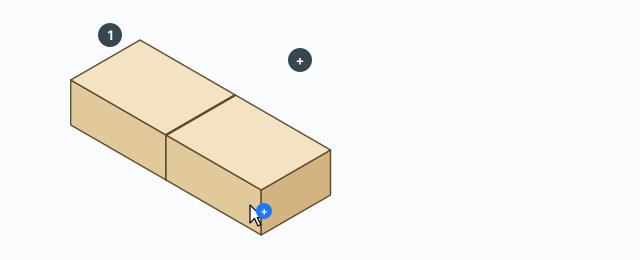
Quick way: pre-select two or more groups/components before starting the tool — they all merge in one go, with the first selected object as the base. With just one object pre-selected, it becomes the base and the tool asks for the next solid.
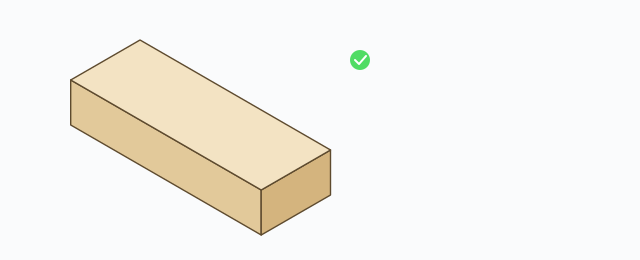
After each merge: the base stays selected and the consumed solids disappear (folded into the base). Each merge is its own Undo step (Ctrl+Z).
Nested groups are kept
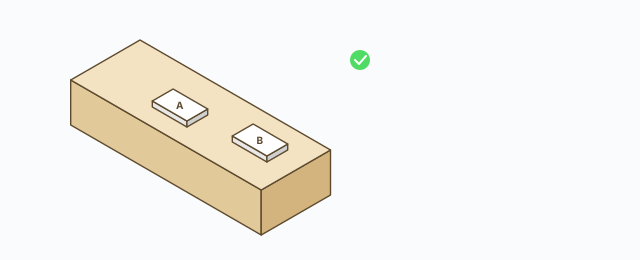
The boolean runs on mesh-only throwaway copies of the solids — every sub-group inside the base (the _ABF_Label label, drill marks…) never touches the boolean and is kept intact. Sub-groups of the consumed solids are not lost either — they are moved into the base after the merge.
Keyboard
- Click – pick the base solid (first), then each solid to weld in.
- Esc – finish the tool.
Common problems
- Nothing happens, no error: the tool is silent like the native Outer Shell — the usual cause is that one of the objects is not a solid (open seams, broken faces, or nothing left but sub-groups once the mesh is set aside). Check Entity Info for “Solid Group/Component”.
- The solids do not touch: outer shell of disjoint solids gives no useful result — make sure they touch or overlap.
- Does not run on SketchUp Make/Free: the solid API only exists in Pro.
- Wrong base: the base is the solid clicked first (or selected first when pre-selecting) — the result keeps the base's name and sub-groups.