Trim Side Faces — inset a board's outer side faces
What it does
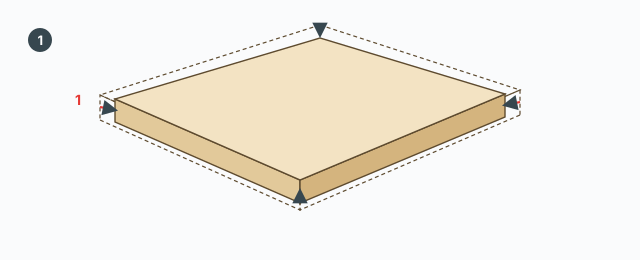
Trim Side Faces pushes a board's side faces (s-faces) inward by a distance in millimetres. The large front and back faces are not trimmed. A hole wall — a side face that shares an edge with an inner loop of the front or back — is skipped.
While the tool runs, the model switches to X-ray and color by tag. Leaving the tool puts both back as they were.
The on-screen bar
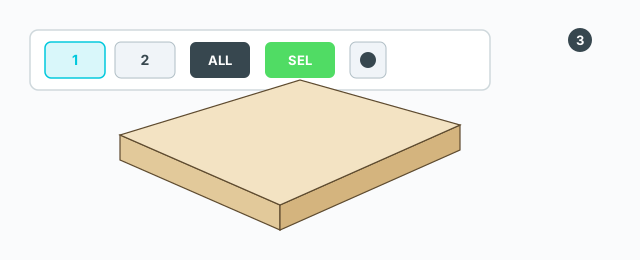
Chips along the top:
- A gear, Presets — opens the preset dialog.
- The Offset chip — shows the millimetres. Click it to type a new number.
- A mode button: All faces or 1 face.
- Preset chips. The active one is purple.
A trim button sits at the top center (it trims the selection). Three presets ship with the tool: 1 mm · tất cả mặt, 1 mm · 1 mặt, 3 mm · tất cả mặt. The tool opens on the saved preset; the first time that is 1 mm, all faces.
Click a board
- Click Trim Side Faces. Nothing has to be selected first.
- Hover a board. The s-faces that will be cut are filled red.
- All faces: click the board to trim every outer s-face.
- 1 face: the click trims only the outer s-face nearest the cursor.
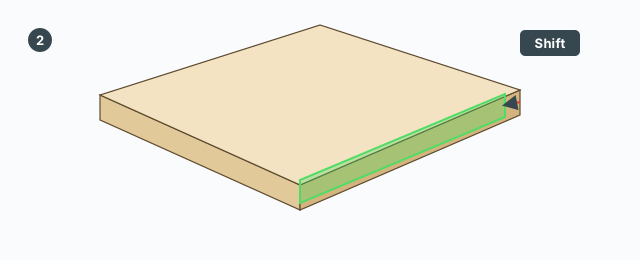
Hold Shift and that click is treated as one face, even if the button says All faces. Release Shift and the override ends. Clicking the 1 face / All faces button keeps the mode until you change it or pick another preset. Picking another preset loads that preset's offset and mode and clears a hand override.
Right-click on the board trims too, with the same all-faces or one-face rule.
The trim button at the top runs on every selected object. Anything that is not a board is left uncut, put into the selection, and counted in a message. The tool stays open after each cut. Each cut is one undo step: Trim s-faces (selection), Trim s-faces (board), or Trim s-face.
A board whose definition is used by another instance is made unique before the cut, so the other copy does not change.
The millimetre value
Type a number in the VCB and press Enter, or click the Offset chip and type in the box titled Trim s-face — Offset. The number must be greater than 0. The tool clamps it to 0.1 mm through 100 mm. It is the inward distance, not an amount added to the old offset. A comma is read as a decimal point. An invalid entry only refreshes the VCB; the offset stays.
Presets
The gear opens Trim presets. Each row has a name, an offset (mm), and a face mode (all or one). The buttons are Save, Defaults, and Add preset.
Keys
- Click — trim the board under the cursor, or hit a HUD chip.
- Right-click — trim the hovered board.
- Hold Shift — that trim is one face only.
- A number + Enter — set the offset in mm (0.1–100).
- Esc — leave the tool and restore X-ray / color by tag.
Ctrl, Tab, Alt, and the arrow keys are not used.
Common mistakes
- A click does not change the board: the object is not recognised as a board, or the cursor is on a large face or a hole wall.
- You typed 0 or 200: the value has to fall between 0.1 and 100. Outside that it is clamped or ignored.
- You wanted a chamfer: the tool only pushes a side face in along that face's normal.