Rotate Label — turn the board label 90°
What it does
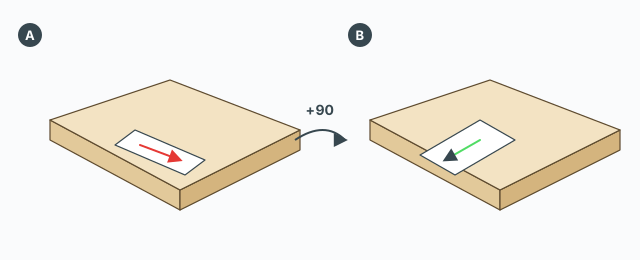
Rotate Label adds 90° to the label angle of the selected boards and redraws the label. It does not rotate the board geometry and it does not rotate drill holes. The tooltip and status say: rotate the label 90° on the selected board(s) and redraw it.
The board must already have a label: the board-index attribute written by ABF Extra Label. Otherwise a message says to select a labelled board (run ABF Extra Label first). Several boards are rotated together in one undo step named Rotate Label.
Each click of the button
- Select one or more boards that already have a label.
- Click Rotate Label.
- The label angle increases by 90°, wrapped into 0–360. The old label group is deleted and drawn again.
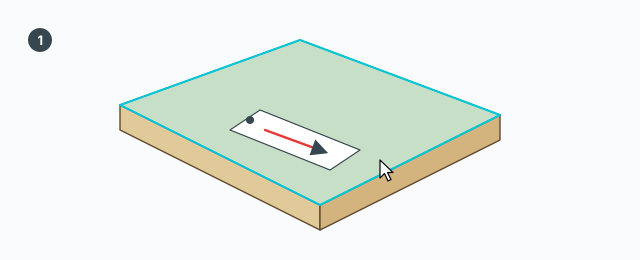
The turn is counter-clockwise around the labelled face's normal:
- 0° — the arrow lies along the board's long axis.
- 90° — the arrow lies along the short axis.
- 180° — the arrow lies opposite the long axis.
- 270° — the arrow lies opposite the short axis.
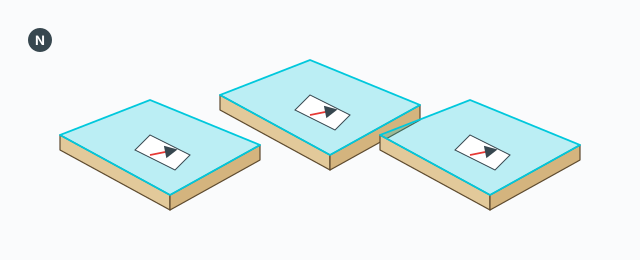
The board is made unique before the redraw, so the label on another copy is not overwritten. Nesting reads this angle when it packs the board. There is no field for an angle other than steps of 90°.
On failure a message reads «Rotate Label error» plus the detail. There is no VCB and no Tab, Ctrl, Shift, or Esc inside the command — it runs once and finishes.
Common mistakes
- The message asks for a labelled board: nothing in the selection has a label index. Run ABF Extra Label first.
- Expecting the board itself to turn: only the label group changes. The board stays put.
- You wanted 45°: each press only adds 90°.