Flip Label — move the label to the other face
What it does
Flip Label moves the label from one large face of the board to the other, then redraws it. The tooltip is: Flip Label f/b face. The status is: move the label to the opposite face and redraw.
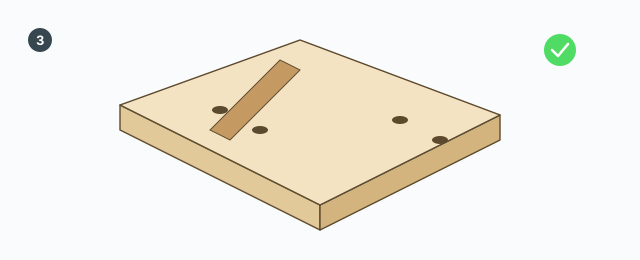
Only the label changes face. Drill holes and edge-banding markers stay on the machined face. The board geometry is not flipped. The label arrow is recomputed so it still points the same way in the model, instead of turning 90° or 180° because the two faces use different in-plane axes.
How to run it
- Select one or more boards that already have a label (a board index from ABF Extra Label).
- Click Flip Label.
- The labelled-face flag moves to the other face. The old label is deleted and drawn on the new face.
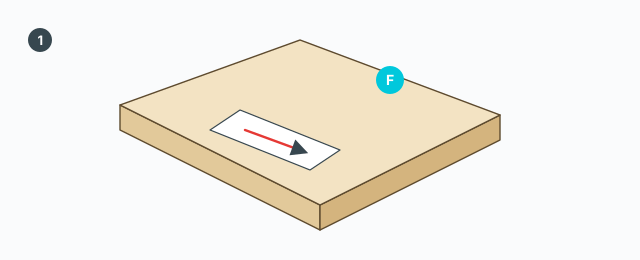
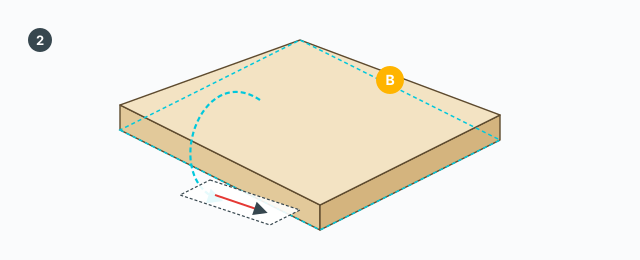
Press again and the label returns to the first face. Every labelled board in the selection is flipped in one undo step named Flip Label. Each board is made unique first, so another copy does not change its label.
If no selected board has a label index, a message says to select a labelled board to flip its f/b face. On failure the message is «Flip Label error» plus the detail.
There is no VCB and no Tab, Ctrl, Shift, or Esc inside this command.
Common mistakes
- The message asks for a labelled board: ABF Extra Label has not been run, or that board is not in the selection.
- Drill holes did not change face: this command does not move machining. Only the label changes face.
- You wanted the arrow to turn: this command keeps the arrow's direction in the model. Use Rotate Label to turn the arrow.