Hover dimensions — width, depth, and height on the object under the cursor
What it does
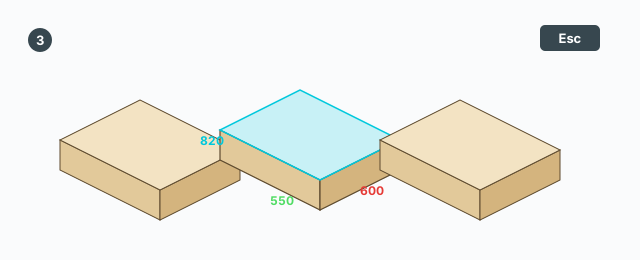
Hover dimensions draws the size of the group or component under the cursor. It does not edit the model, does not create a SketchUp dimension, and does not change the selection. The tooltip is: show width, depth, and height on hovered groups/components. The status line is: hover a group or component — Esc to exit.
Hover an object
- Click Hover dimensions.
- Hover a group or a component. A face or an edge shows nothing.
- Three arrows start at the object's origin and follow its own axes: red X, green Y, blue Z. Each arrow's length follows that axis's size.
- A white label with a black border shows the length in the units the model is set to.
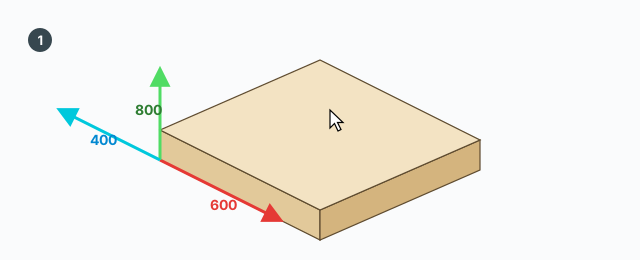
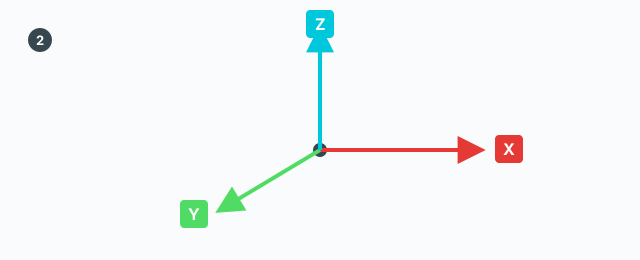
Each number is the definition size multiplied by the scale on that axis of the transformation. A non-uniform scale makes the three numbers differ. A part that is only rotated still reports its own edge lengths, not the world-aligned box.
Move off a group or component and the drawing disappears. Switch tools, or press Esc, to leave and clear it.
Keys
- Hover — show the sizes.
- Esc — leave the tool.
A click does nothing. There is no VCB, and Tab, Ctrl, Shift, and the arrow keys are not used. There is no undo, because nothing is edited.