Dumb Scale — set the world width, depth, or height of the selection
What it does
Dumb Scale scales groups or components along one axis of the world-aligned bounding box. The pivot is the center of that box. The whole solid scales, including the thickness of a board that lies along that axis. It does not slide one side the way Precise scale does.
Select at least one group or component. Empty selection: «Please select one or more objects.» Anything else: «Please select one or more groups or component instances.»
Three chips
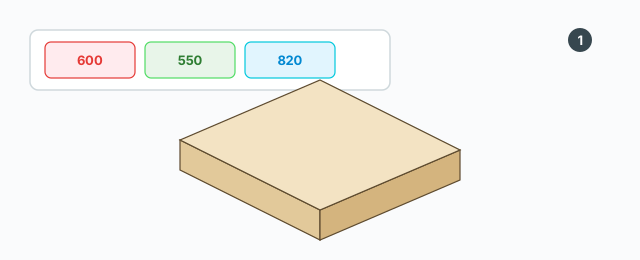
Three chips sit at the top left:
- Width — red. The box size along world X (red).
- Depth — green. The box size along world Y (green). SketchUp calls this the bounding-box height; the chip still says Depth.
- Height — blue. The box size along world Z (blue).
The number is the world size of that box in millimetres, not the part's own edge length when the part is rotated. If every selected object shares one size, the chip shows it, like 800.0mm. If they differ, the chip shows ???. Hovering a chip shows a hint: set the common width, depth, or height (world mm).
Typing a number
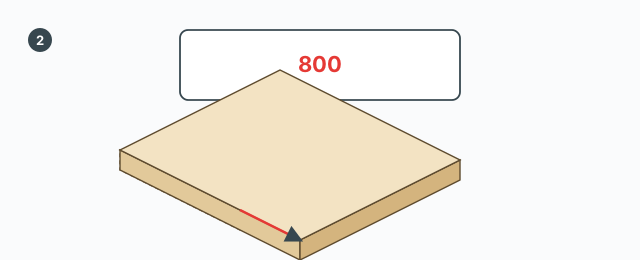
Click a chip. The prompt label is Width (mm) (or Depth, or Height) and the title is Dumb Scale — Width. If the selection shares one size, that number is filled in, without the letters mm.
- A number with no sign, greater than 0: set that size.
800makes that axis of each object 800 mm. - A number that starts with
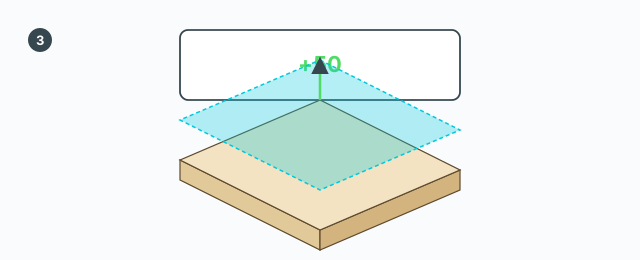
+or-: add or subtract from each object's current size.+50adds 50 mm,-20subtracts 20 mm.
If the result for one object would not be greater than 0, that object is skipped. Each successful apply is one undo step. The tool stays open so you can edit another axis. There is no VCB, and Tab, Ctrl, Shift, and the arrow keys are not used.
Common mistakes
- The chip shows ???: the selected objects do not share a size on that axis. You can still type an absolute number; each object is set to it.
- A rotated board distorts: the scale follows the world axes of the bounding box, not the board's own edges.
- You typed 0, or the result is not positive: an absolute value has to be greater than 0, and a minus must leave that axis greater than 0.