Rotate — turn the selection 90° about X, Y, or Z
What it does
Rotate turns the selected groups and components by exactly 90° about one world axis. The pivot is the center of the selection's combined bounding box. Loose faces and edges are ignored. You cannot type an angle.
Three preview boxes
- Select one or more groups or components, then click Rotate.
- Three translucent boxes appear around the center: red is X, green is Y, blue is Z.
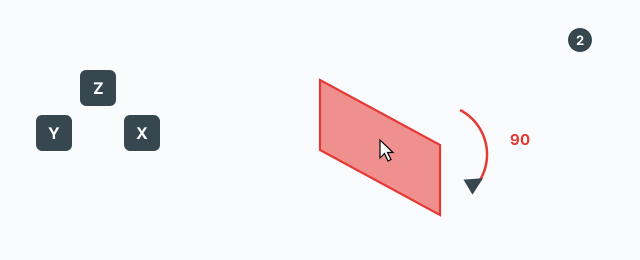
- Click the box you want. The original turns 90° clockwise about that axis.
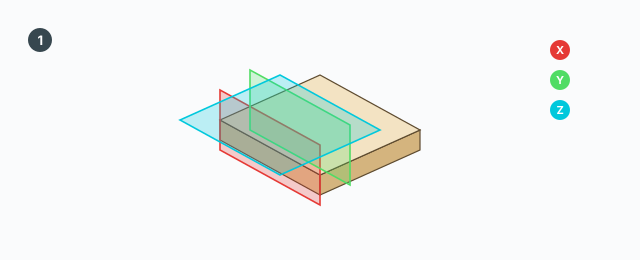
Hold Shift while you click to turn counter-clockwise. The box under the cursor is drawn heavier. After each turn the three boxes are rebuilt. The tool stays open.
With nothing selected there are no boxes. The status line tells you to select groups or components and start the tool again. Selecting more while the tool is open is not picked up until a turn succeeds or you start the tool again.
Arrow keys
The same 90° turn, without clicking a box:
- ↑ and ↓ — about Z.
- ← — about Y.
- → — about X.
Hold Shift with the arrow to turn counter-clockwise.
Ctrl — leave an unrotated copy
Ctrl toggles (press once). While it is on, a green + sits by the cursor. The next turn spins the original and leaves an unrotated copy where it was.
- A copied group is made unique and keeps material, layer, and name.
- A copied component still shares its definition.
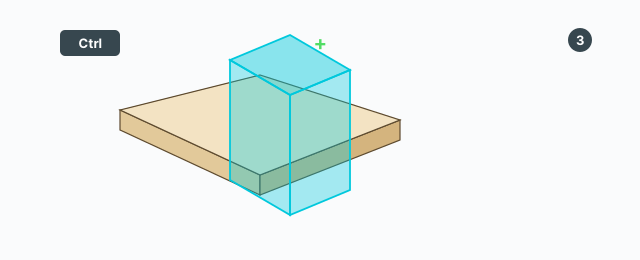
Each turn is one undo step, named like Rotate 90° X (or Y, or Z), with (copy) when Ctrl is on.
Keys
- Click the red / green / blue box — 90° about X / Y / Z.
- ↑ ↓ ← → — Z, Z, Y, X.
- Shift — hold for counter-clockwise.
- Ctrl — toggle leaving an unrotated copy.
- Esc — leave the tool.
There is no VCB. Tab and Alt are not used.
Common mistakes
- No coloured boxes: the selection has no group or component. Select, then start the tool again.
- You want 45° or a typed angle: the tool only does 90° steps.
- Other component copies turn too: a component copy is not made unique. A group copy is.